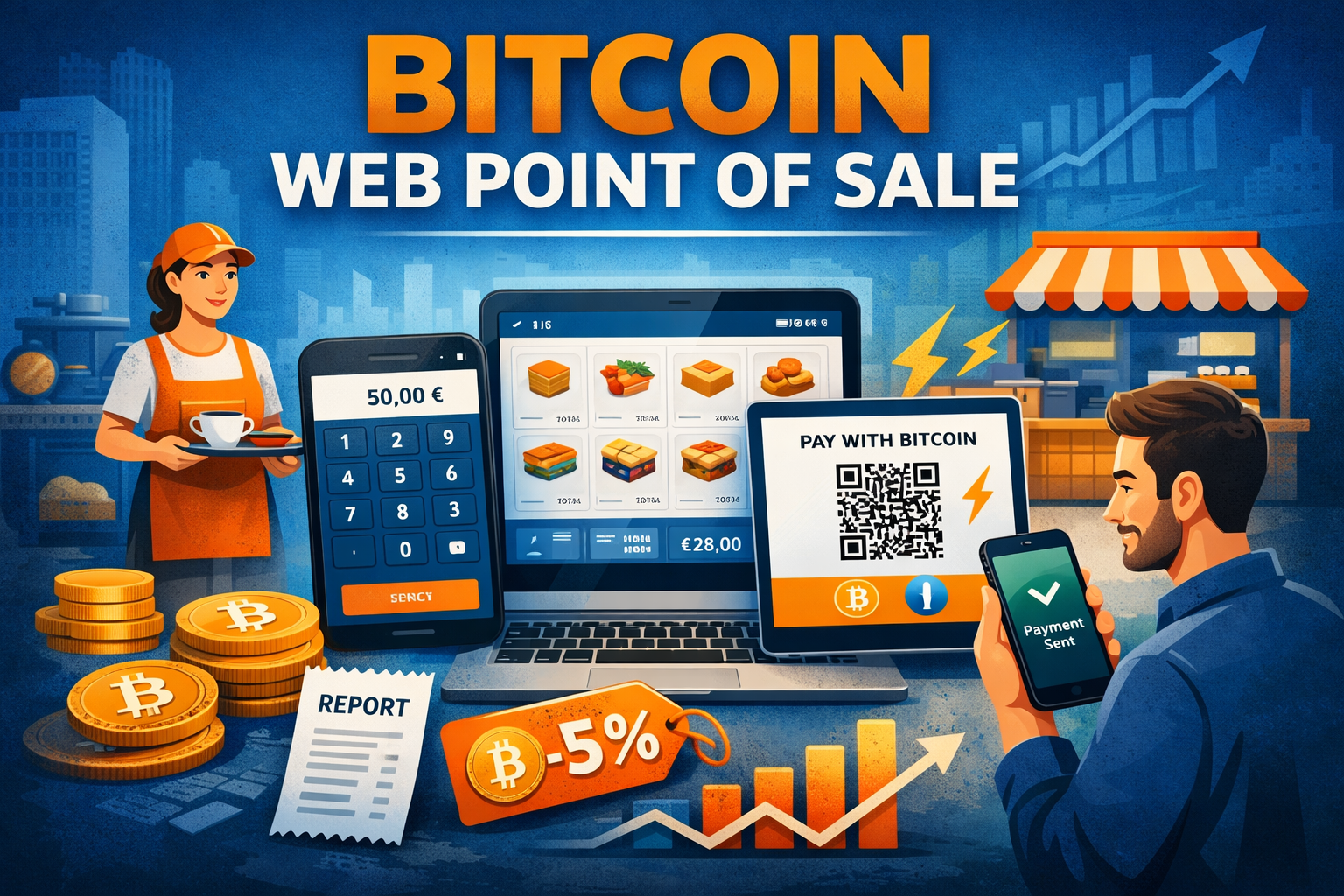
Bitcoin Web-Point of Sale
Accepting Bitcoin payments in brick-and-mortar retail doesn’t have to be complicated or expensive. You don’t need a special card reader, a new cash register or any additional hardware. In many cases, an existing end device – a smartphone, tablet or computer – and a normal web browser will suffice.
This is exactly where Bitcoin Web Point of Sale solutions come in. They make it possible to accept Bitcoin and Lightning payments directly in the browser without having to install apps or replace POS systems. This makes them particularly suitable for retailers, restaurants, service providers and event organizers.
A major advantage: employees can also accept Bitcoin payments without having to install software on their personal devices. Alternatively, an older, discarded tablet can be permanently placed next to the cash register – ready for use as soon as a customer wants to pay with Bitcoin.
In addition to web-based solutions, there are also app-based Bitcoin POS systems. We deal with these in a separate article. In this article, the focus is deliberately on web-based Bitcoin Point of Sale solutions.
The focus is on the following providers:
- Coinsnap Web PoS
- Blink Web PoS
- BTCPay Server Web PoS
- LNbits tPoS
In the first part of this article, we explain typical functions of a Bitcoin Web POS using practical examples. The second part provides a compact overview of which solution supports which functions.
Web-based Bitcoin point-of-sale solutions in everyday life
The biggest advantage of a Bitcoin POS in the browser is its simplicity. Every payment is processed via a publicly accessible web address that is opened in the browser. This page is deliberately freely accessible – because its sole purpose is to accept payments.
The actual administration of the income, i.e. evaluations, exports or the disposal of the Bitcoin received, is of course protected and only accessible to the owner. Employees can accept payments, but cannot dispose of the Bitcoin received. This is a decisive advantage over classic wallet solutions, especially in everyday life.
Getting started: Numbers via the keypad
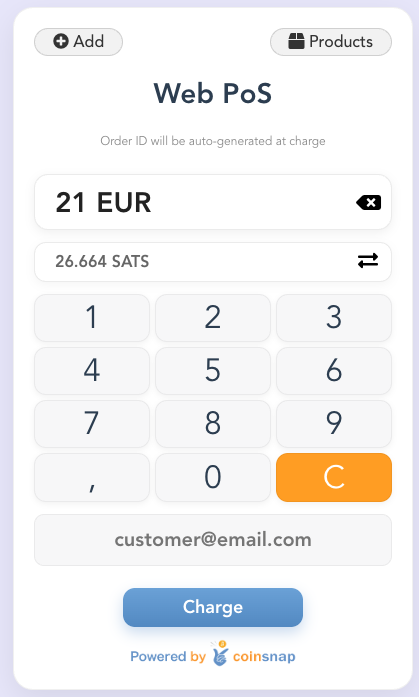
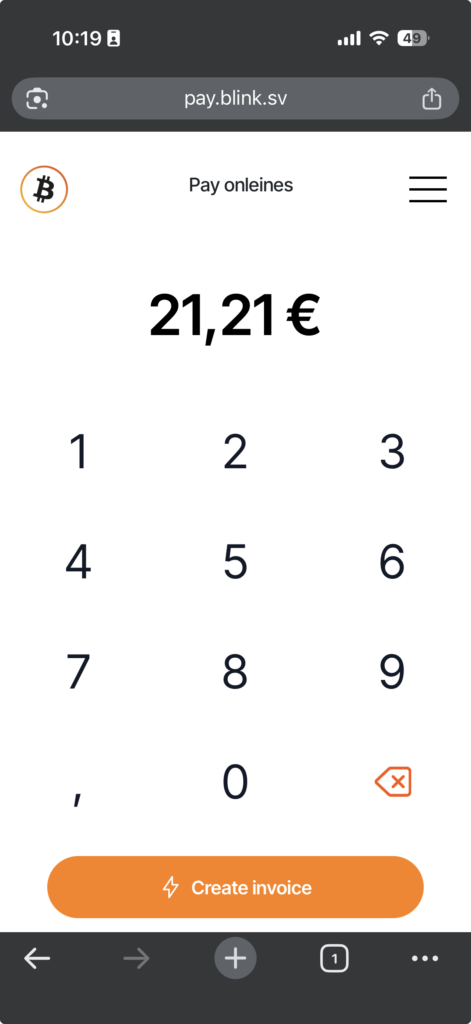
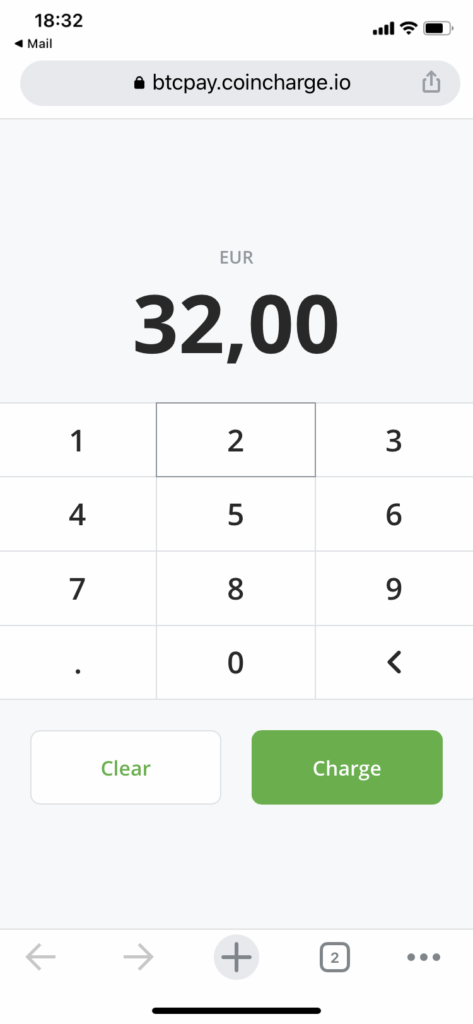
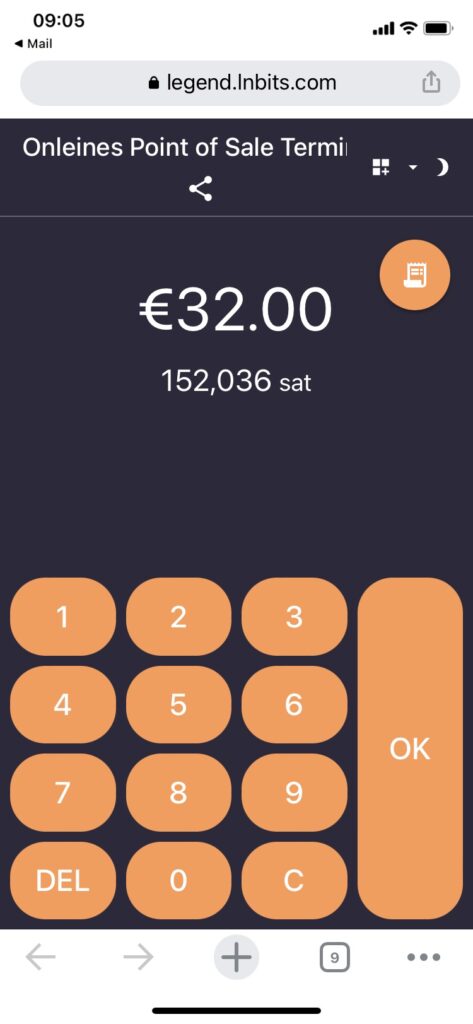
The easiest way to get started with Bitcoin or Lightning payments in stores is the so-called keypad variant. It forms the basis of every Bitcoin Web-Point of Sale and is supported by all the solutions under consideration – Coinsnap, Blink, BTCPay Server and LNbits tPoS.
In practice, this is how a payment works: The employee opens the Bitcoin Web Point of Sale in the browser and enters the amount to be paid, for example 50 euros. After clicking on “Pay”, a QR code is displayed. The customer scans it with their Lightning wallet and confirms the payment. Both parties receive a confirmation within a few seconds.
Some keypad variants also allow a reference or invoice number to be entered. This means that Bitcoin payments can later be clearly assigned to accounting or an invoice in the POS system.
Coinsnap Web PoS
Blink Web PoS
BTCPay Server Web PoS
LNbits tPoS
Product catalog and inventory: Bitcoin as a real cash register
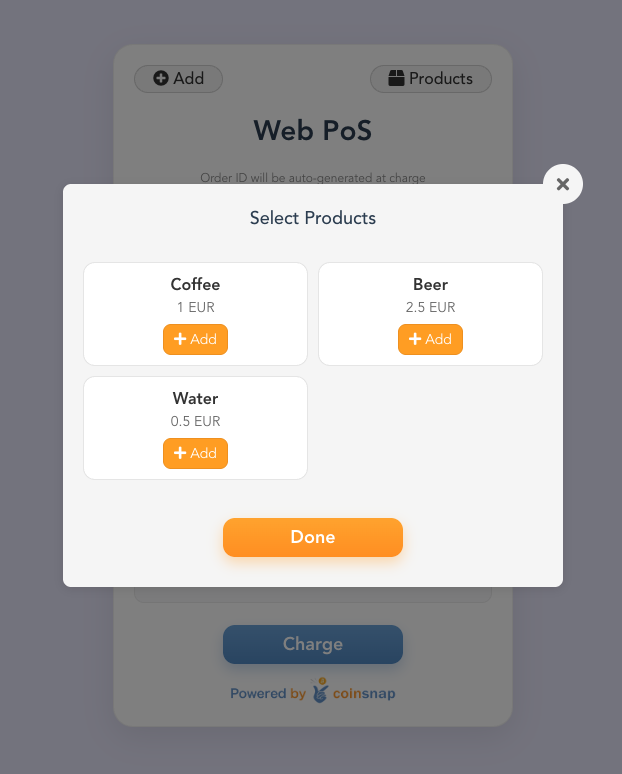
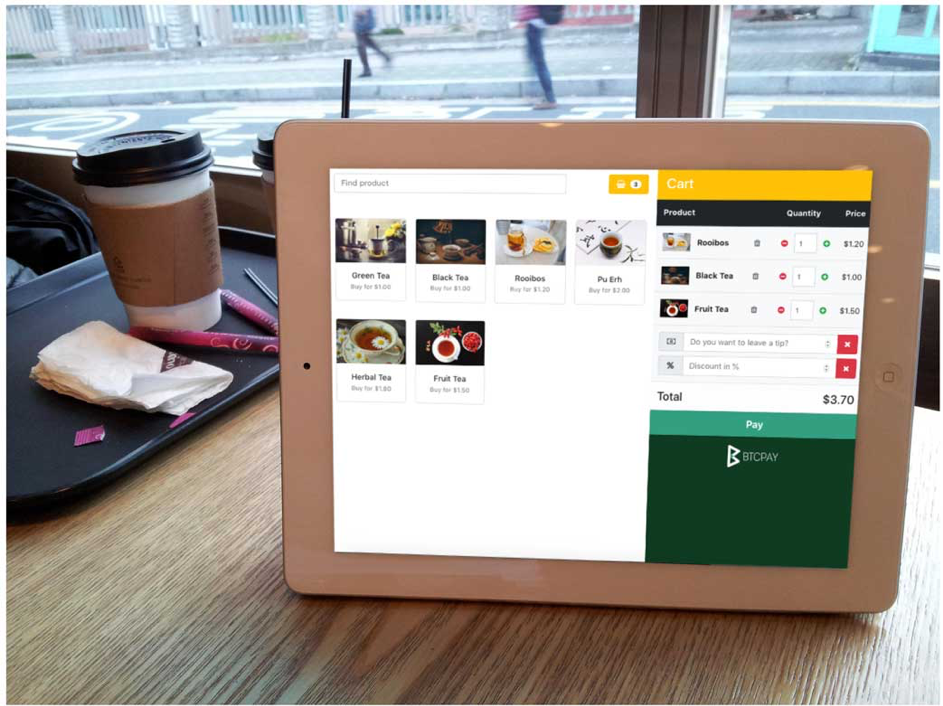
While the keypad is ideal for quick single amounts, merchants quickly reach their limits in everyday life – for example in retail or hospitality. This is where product catalogs and items in the Bitcoin POS come into play.
Instead of entering an amount, the employee selects the products or items sold. The total amount is calculated automatically and then displayed as a Bitcoin or Lightning payment. For the retailer, this feels like a classic cash register – just without any additional hardware.
The great advantage lies in the traceability: it is possible to evaluate exactly which products or items were paid for with Bitcoin. This is particularly helpful for sales statistics, internal analyses or event evaluations.
Coinsnap and BTCPay Server offer a fully-fledged product catalog with classic checkout logic. LNbit’s tPoS also allows the creation of products (items), but in a deliberately leaner form without stock management or complex pricing logic. Blink completely dispenses with product functions and focuses on the quick payment amount.
Coinsnap product catalog
Blink Web PoS

BTCPay Server Web PoS
Lightning, on-chain and optional card payment
Not every Web PoS solution automatically supports all payment types. Coinsnap and BTCPay Server enable both Lightning payments and classic Bitcoin on-chain transactions. Customers can decide how they want to pay depending on the situation.
Blink and LNbits tPoS are deliberately designed to be lightning-first and do not support on-chain payments. This ensures fast processing and low fees in everyday life.
A special feature of LNbit’s tPoS is the option to add card payments to the system. In combination with a Stripe account and an Android device, lightning payments and card payments can be accepted in parallel via the same PoS interface. This function is primarily aimed at hybrid setups, such as at events or pop-up stands.
Tipping with Bitcoin: particularly relevant for gastronomy & service
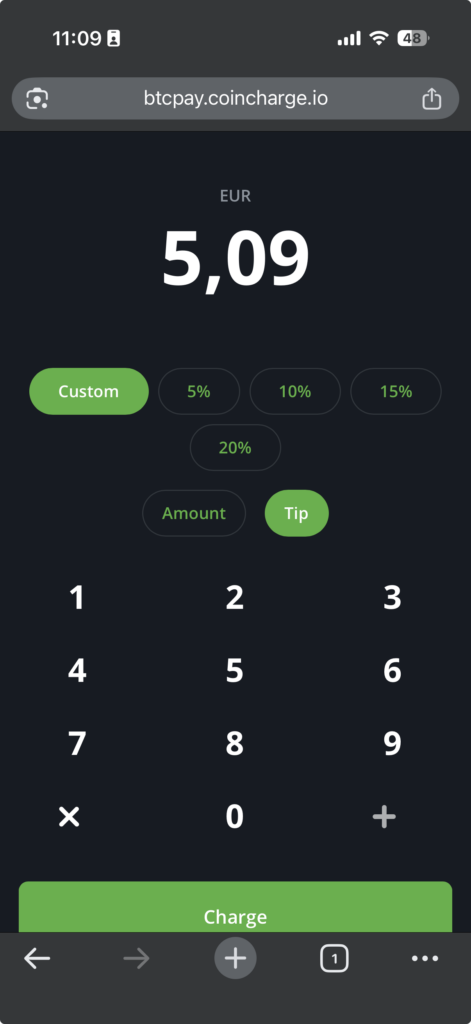
Tipping is a central component of the payment process, especially in the catering and service sector. Modern Bitcoin Web POS systems take this into account directly in the payment process.
Once the invoice amount has been determined – whether via keypad, product catalog or items – the customer is given the opportunity to tip. This can be done via fixed percentage suggestions or by entering a free amount. Only then is the QR code generated for payment.
Coinsnap, Blink and BTCPay Server offer an integrated tipping function. LNbit’s tPoS also supports tipping, provided this function is activated in the payment flow.
Coinsnap’s approach is particularly interesting: a separate Lightning address can be stored for each employee. The invoice amount goes to the merchant, the tip directly to the employee – transparently and without detours.
Coinsnap Web PoS
LNbits tPoS

BTCPay Server Web PoS
Multiple terminals, employees and locations
In practice, it rarely remains with a single device. A multi-terminal Bitcoin POS solution becomes relevant as soon as several employees are cashing up at the same time or several sales stands are being operated.
Although Web PoS systems can technically be used on several devices in parallel, a clear separation is crucial for meaningful evaluations. Retailers want to be able to track later which terminal, which employee or which location generated sales.
We have implemented setups like this at the Blocktrainer event, the Bitcoin Forum Ingolstadt and the Frankfurt Christmas market, among others. There, it was essential to evaluate sales by stall and terminal.
Coinsnap and BTCPay Server are particularly suitable for such scenarios. Both allow multiple stores – such as branches – as well as multiple PoS instances per store, for example “cash register 1”, “cash register 2” or separated by employee. LNbit’s tPoS also allows multiple tPoS instances, but is more technically oriented and less geared towards classic checkout structures.
Bitcoin discounts as a payment incentive
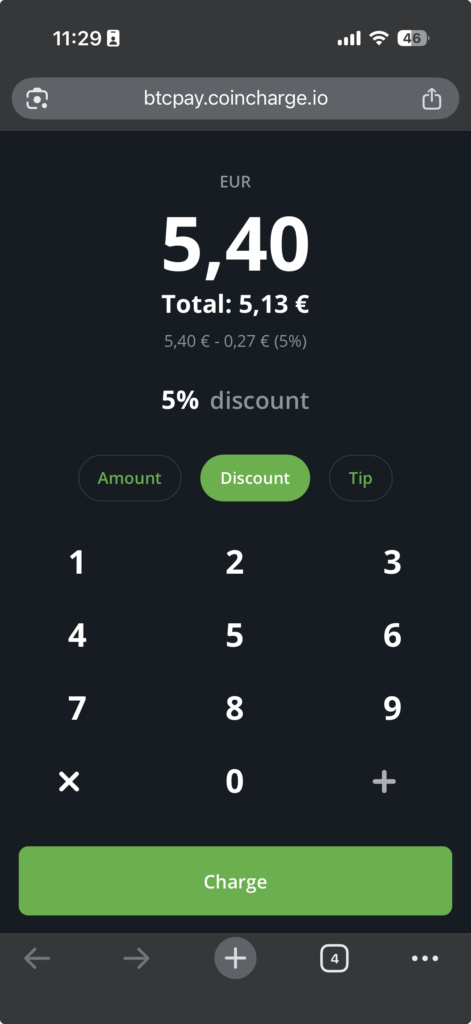
Bitcoin payments often save on fees compared to credit cards. These savings can be passed on to customers in a targeted manner – for example via a Bitcoin discount.
A typical example: 5% discount when paying with Bitcoin or Lightning. Such discounts can be implemented in a structured and transparent way with Coinsnap and BTCPay Server. LNbit’s tPoS allows this via simple workarounds, while Blink does not provide any discount logic.
Coinsnap Web PoS
BTCPay Server Web PoS
Statistical evaluations and accounting
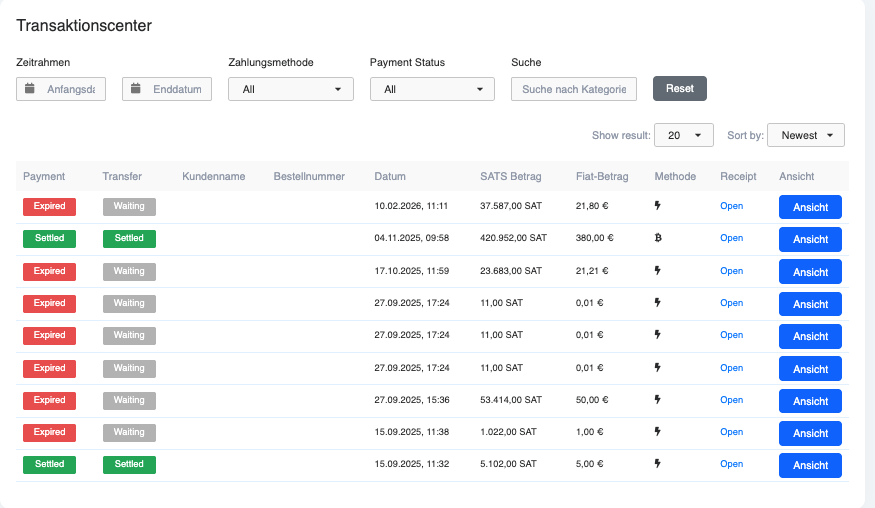
At the latest when it comes to accounting, it becomes clear how sophisticated a Bitcoin POS system in the browser really is. Although all solutions offer an overview of past payments, not all of them provide the necessary data for accounting and tax purposes.
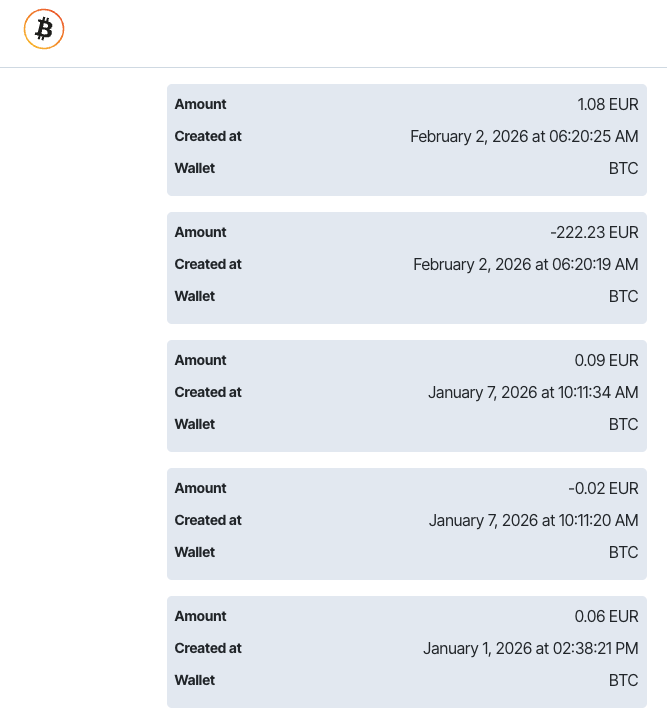
Blink lists payments with the fiat amount and date, but shows neither the satoshi amount nor the underlying exchange rate. This is usually not sufficient for audit-proof documentation.
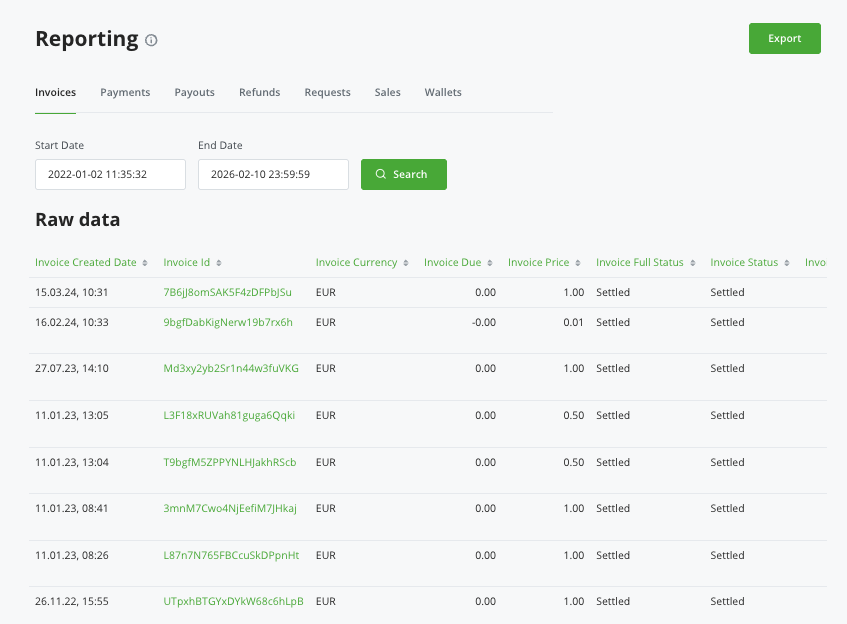
Coinsnap and BTCPay Server offer comprehensive payment overviews with fiat and bitcoin amounts, exchange rates at the time of payment and filter options by time period, payment type, store and terminal. This data can be exported directly from the backend or downloaded as a CSV file for further processing in accounting.
LNbits also provides transaction data that can be technically analyzed, but is primarily aimed at users with a higher technical affinity.
Coinsnap transactions
Blink transactions
BTCPay Server transactions
Conclusion: Bitcoin Web POS as a real alternative to the classic cash register
Web-based Bitcoin point-of-sale solutions have long been more than just simple payment links. They range from minimalist Lightning terminals to fully-fledged POS systems with a product catalog, tipping function, multi-terminal structure and accounting-compatible evaluations.
Which solution is the right one depends less on the technology and more on the specific application in everyday life. A café has different requirements to a festival, a retailer different to a service provider.
In the next section, you will find a compact overview of all the Bitcoin Web Point of Sale solutions presented and their supported functions – to help you decide at a glance.
Bitcoin Web-Point of Sale solutions
Coinsnap – Web-Point of Sale
Coinsnap is a fully-fledged Web PoS system:
Keypad variant
✅ Product catalog / article mode
✅ Lightning & on-chain Bitcoin
✅ Tip function
✅ Bitcoin discount
Multi-terminal function
- several devices
- several cash registers
✅ Employee assignment
- Own Lightning address per employee
- Tips go directly to the employee
✅ Statistical evaluations
- Turnover
- Periods
- Payment methods
CSV exports
- suitable for accounting
- comparable with BTCPay Server
👉 This makes Coinsnap a real checkout solution for stationary retail.
Coinsnap Web Point of Sale: https: //coinsnap.io/pay-tools/web-point-of-sale/
BTCPay Server – Web POS
Keypad
✅ Product catalog / shopping cart
✅ Lightning & On-Chain
✅ Tip function
Discounts / price logic
✅ Multi-Store & Multi-Terminal
✅ User & role administration
✅ Extensive statistics & CSV exports
🔧 Self-hosted / maximum sovereignty
BTCPay Server Web PoS: https://blog.btcpayserver.org/bitcoin-pos/
Blink Point of Sale (POS)
| Function | Blink |
| Keypad | ✅ |
| Product catalog | ❌ |
| Lightning | ✅ |
| On-chain | ❌ |
| Tip | ✅ |
| Bitcoin discount | ❌ |
| Multi-Terminal | ⚠️ |
| Employee assignment | ❌ |
| Statistics | ❌ |
| CSV export | ❌ |
Blink – Web POS: https://de.blink.sv/blog/transform-your-payment-experience-with-the-blink-pos
LNbits tPoS
| Function | LNbits tPoS (updated) |
|---|---|
| Keypad | ✅ |
| Product catalog / Items | ⚠️ restricted |
| Lightning | ✅ |
| On-chain | ❌ |
| Tip | ✅ Configurable |
| Bitcoin discount | ⚠️ Workaround |
| Multi-terminal | ⚠️ technically possible |
| Employee assignment | ❌ |
| Statistics | ⚠️ raw / technical |
| CSV export | ⚠️ wallet-based |
LNbits tPoS: https://github.com/lnbits/tpos
Card payment with tPoS: https://news.lnbits.com/news/lnbits-tpos-extension-now-with-fiat-stripe-tap-to/
Overview of Bitcoin Web Point of Sale providers
| Function | Coinsnap | BTCPay Server | Blink | LNbits tPoS |
|---|---|---|---|---|
| Keypad | ✅ | ✅ | ✅ | ✅ |
| Product catalog | ✅ | ✅ | ❌ | ⚠️ restricted |
| Lightning | ✅ | ✅ | ✅ | ✅ |
| On-chain | ✅ | ✅ | ❌ | ❌ |
| Tip | ✅ | ✅ | ✅ | ❌ |
| Bitcoin discount | ✅ | ✅ | ❌ | ⚠️ Workaround |
| Multi-terminal | ✅ | ✅ | ⚠️ | ⚠️ |
| Employee assignment | ✅ | ✅ | ❌ | ❌ |
| Statistics | ✅ | ✅ | ❌ | ⚠️ raw |
| CSV export | ✅ | ✅ | ❌ | ⚠️ |
Further articles: Accepting Bitcoin payments in stores